NEON SHORE
Make the display your own
One sunset, three layouts. Pick the stats for your sun scale and side arcs. Put a value like distance or step count in the middle.
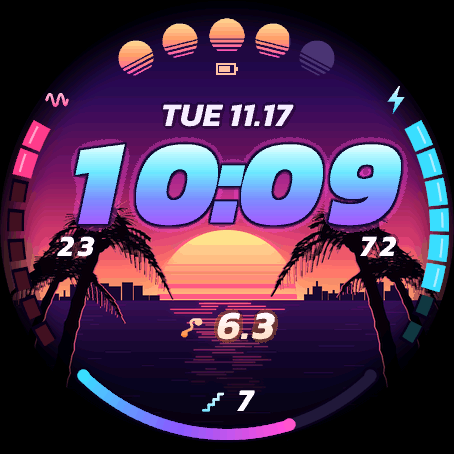
Sun scale on
The upper scale shows watch battery. The side arcs show stress and Body Battery, with distance in the centre and floors at the bottom.
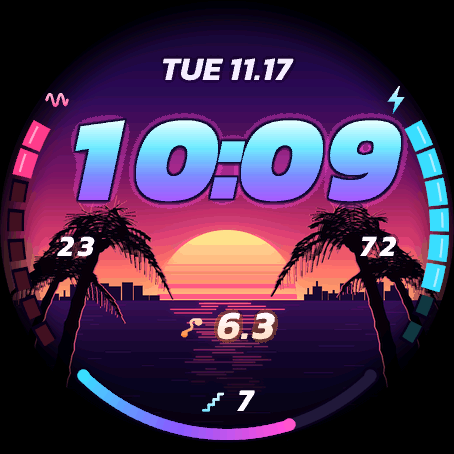
Sun scale off
The upper scale is hidden. Stress, Body Battery, distance and floors stay in their usual positions.
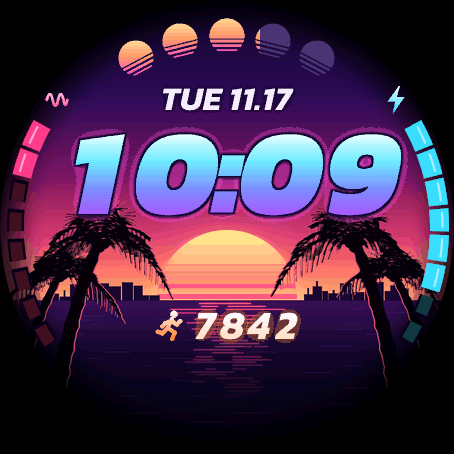
Fewer stats on screen
The scale shows intensity minutes. The numbers in the side arcs, the icon under the sun scale and the bottom field are hidden. Steps appear in the centre.
Garmin simulator captures · Forerunner 965 · Sample data
Try it on your watch
- Open NEON SHORE in Connect IQ and go to Settings → Data fields.
- For Centre field, select a value such as Distance or Steps. Set Bottom arc to Off to hide it.
- Turn the upper sun scale on or off. The sun in the background stays in the artwork. You can also hide the numbers in each side arc separately.
- Save your settings, sync your watch, and compare the result with the examples.